ToF rendering
Time-of-flight (ToF) imaging lights the scene with a short laser pulse and records when the light comes back to the sensor. Light travels at a constant speed, so its arrival time is set by the total length of its path: laser -> scene -> camera. falcorcomp renders ToF measurements by tracking the length of every light path it samples. Path lengths are in scene units.
These tutorials render two kinds of ToF measurements:
Measurement |
Output |
Render pass |
|---|---|---|
Time-gated image |
|
|
Transient histogram |
|
|
All the tutorials use the same scene and a similar render graph:
Scene: the Cornell box without its area light, so the laser is the only light. The laser sits in front of the box at
(0, 1.7, 6.8)and points into it.Render graph:
VBufferRTfinds the camera’s primary hits,LaserLightplaces the laser (connected to the ToF render pass with an execution edge, so that it runs first), and the ToF render pass traces paths from the camera and connects them to the laser spot. The frames are then averaged (AccumulatePassorTransientHistogramAccumulatePass) or shown (ToneMapper,TransientHistogramViewer).
Each tutorial is a short Python script, explained step by step, with the full script at the end. The offline tutorials render without a window and save the result to a file. The online tutorials open an interactive window, where the result converges over frames and the camera and the settings can be changed while it runs.
Before you start:
Install falcorcomp (see Installation), and Pillow 10.1 or newer, with which some scripts save their images (
pip install pillow).Download the scene,
scene-v4-nolight.pbrt, and save it ascornell-box/scene-v4-nolight.pbrtnext to the scripts. (The Cornell box is by Benedikt Bitterli, released underCC0.)
Time-gated rendering
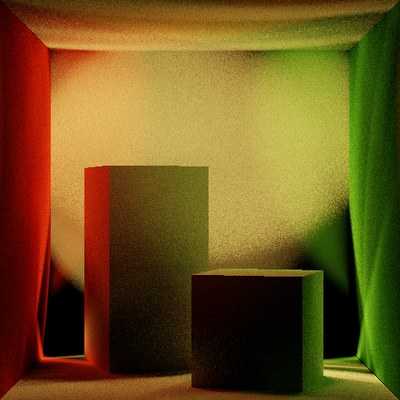
Render a time-gated image with TimeGatedPathTracerInline, average the frames, and save it as
EXR and PNG.
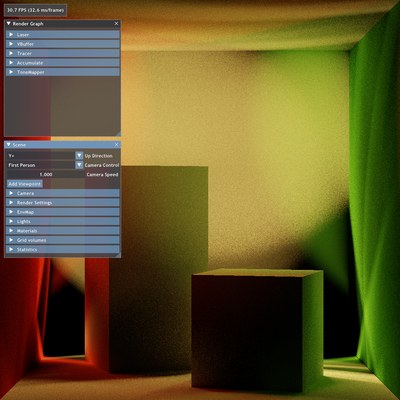
Show the time-gated image in an interactive window, and change the gate, the sampling and the camera while it renders.
Transient rendering

Render a 64-bin transient histogram with TransientHistogramPathTracerInline, save it as a NumPy
array, and save 16 of its bins as an image grid.

Browse the histogram in an interactive window with TransientHistogramViewer, and plot a
pixel’s transient profile.